Let’s get you playing.

What’s getting in the way?
Start with the problem you see. These checks lead to the relevant instructions and a useful report if you still need help.
The game will not start, or the mod is missing
- Choose the release for your exact Minecraft version, then check its required Fabric Loader, Fabric API and other dependencies.
- Put the mod and its required files in the mods folder of the Fabric instance you actually launch. Remove older duplicate copies of the same mod.
- Check the Java requirement shown for your selected release. The versions you selected on Offchunk are shown above when available.
- If the game still fails to start, keep the relevant error message and the versions you used for your report.
My service pump has no fuel
- Sneak-right-click with an empty hand to check the pump setting, stored fuel type and amount.
- Add matching petrol or diesel by holding right-click with a filled can without sneaking. Changing PETROL, DIESEL or AUTO does not transfer fuel.
- An empty AUTO pump accepts either fuel. Once stocked, it keeps that fuel type until drained.
- Breaking and replacing a pump does not preserve its stored fuel.
My pumpjack is not extracting oil
- Use the survey kit and place the pumpjack inside the discovered field region.
- Apply a redstone signal, keep its chunk loaded and empty the buffer when it is full.
- Oil reserves are finite and shared by all pumpjacks in the same region. Check whether the field has run out.
My car will not refuel
- Install Pumps & Pistons, Automobility and the separate fuel integration. Follow the integration’s required versions; they can differ from the newest releases.
- Install the same versions of each mod on the server and every client.
- Match the engine’s fuel: stone, copper and gold use petrol; iron and diamond use diesel. New vehicles start empty.
- With a service pump, take the nozzle with an empty hand and click the vehicle once. Stay within reach: six blocks by default. With a jerry can, hold right-click instead.
Autoradio is silent in Minecraft
- Start with a working Automobility car and check Autoradio’s installation requirements. Use matching Minecraft, Automobility, Fabric Loader and Fabric API versions.
- Hold F7 to choose a station, then release to tune in. Check your key bindings if another mod uses the same key.
- If the problem continues, tell us whether it affects included stations, your own tracks or both, and whether you are playing alone or on a server.
The website radio preview is silent
- Choose a station and press Play preview. Turn radio off disables playback.
- Check the preview’s Volume slider and whether your browser tab or device is muted.
- Previews stop after 20 seconds and pause when you switch tabs or open the installation window. Press Play again to resume.
- If a preview reports an error, try Next preview or another station.
Find your mod’s setup.
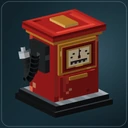
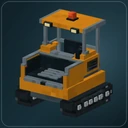
Pumps & Pistons: Roadworks
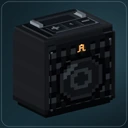
Automobility: Autoradio
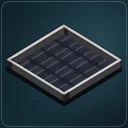
Powerworks
Automobility: Unofficial Port
Momentum for Automobility: Unofficial Port
RIAutomobility: Unofficial Port
Help us reproduce the problem.
- Your Minecraft version, loader and mod versions, including relevant integrations and dependencies.
- What you tried, what happened and the steps needed to reproduce it.
- The relevant error message or log excerpt, with personal details, passwords and tokens removed.
- Whether it happens in single-player, on a server or both.
Choose Report a bug under the affected mod above. Use private support for account or privacy requests.
See how the fuel setup connects →Talk to us.
Chat when an operator is available, or leave your email for a reply later. Opening the support panel lets you choose whether to start the chat.
For account or privacy requests, please use private support. How support handles your data.