Refine crude oil into petrol and diesel
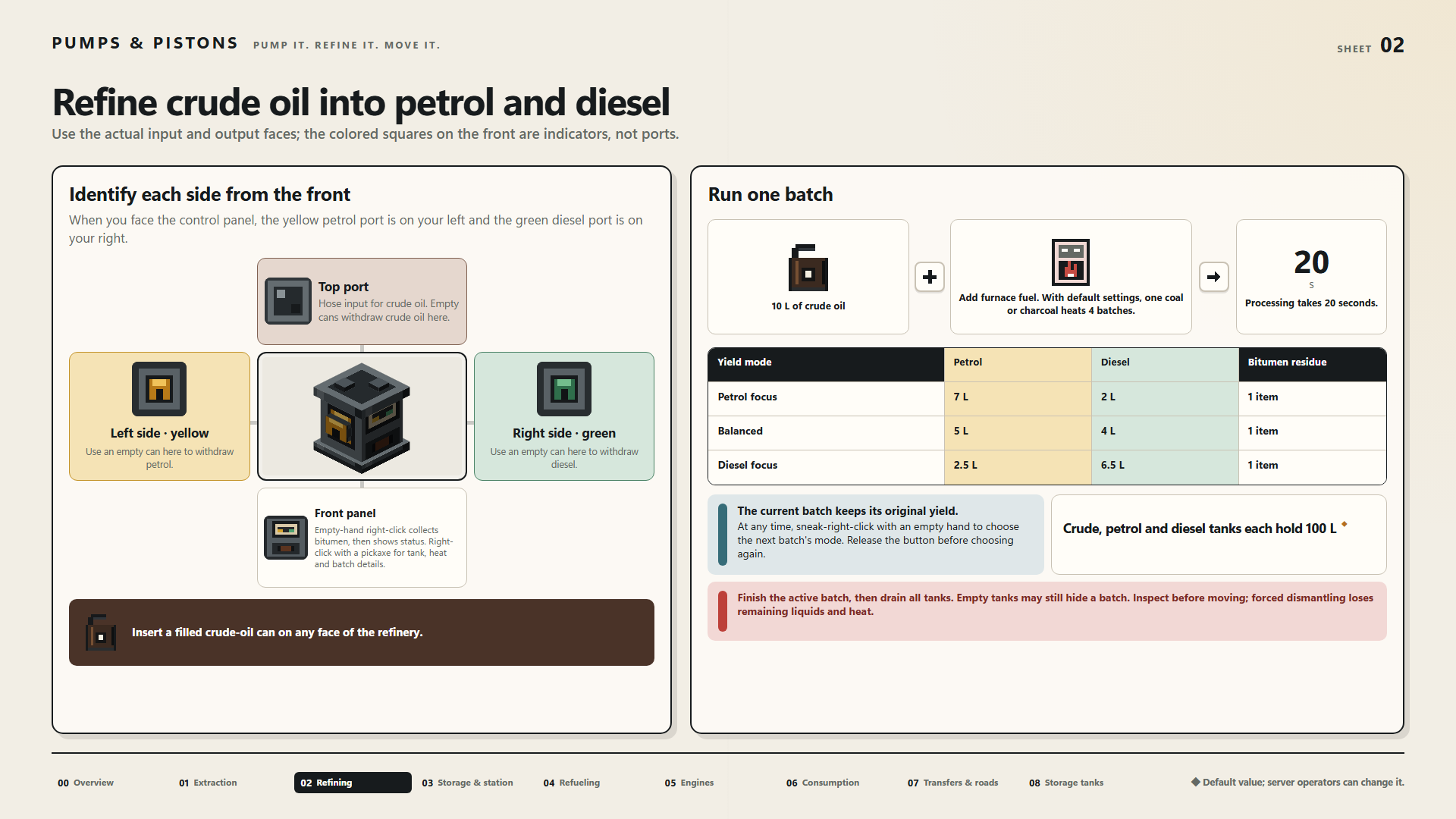
Use the actual input and output faces; the colored squares on the front are indicators, not ports.
Identify each side from the front
When you face the control panel, the yellow petrol port is on your left and the green diesel port is on your right.
Top port
Hose input for crude oil. Empty cans withdraw crude oil here.
Left side · yellow
Use an empty can here to withdraw petrol.
Front panel
Empty-hand right-click collects bitumen, then shows status. Right-click with a pickaxe for tank, heat and batch details.
Right side · green
Use an empty can here to withdraw diesel.
Insert a filled crude-oil can on any face of the refinery.
Run one batch
- 10 L of crude oil
- Add furnace fuel. With default settings, one coal or charcoal heats 4 batches.
- Processing takes 20 seconds.
| Yield mode | Petrol | Diesel | Bitumen residue |
|---|---|---|---|
| Petrol focus | 7 L | 2 L | 1 item |
| Balanced | 5 L | 4 L | 1 item |
| Diesel focus | 2.5 L | 6.5 L | 1 item |
The current batch keeps its original yield.
At any time, sneak-right-click with an empty hand to choose the next batch's mode. Release the button before choosing again.
Crude, petrol and diesel tanks each hold 100 L ◆
Finish the active batch, then drain all tanks. Empty tanks may still hide a batch. Inspect before moving; forced dismantling loses remaining liquids and heat.
◆ Default value; server operators can change it.